
Conferences & meetups
Find a speaker or someone you talked to afterward — just search and there they are.

For events, communities, courses, and alumni groups alike. Everyone joins with their digital card — next time you need a collaborator or have a question, one search and you'll find them.

Easy to lose, no photo or bio, and impossible to search by keyword afterward.
Once messages pile up, people get buried, and nicknames and avatars don't tell you who's good at what.
Needs someone to maintain it, goes stale, and sharing it risks leaking personal data.
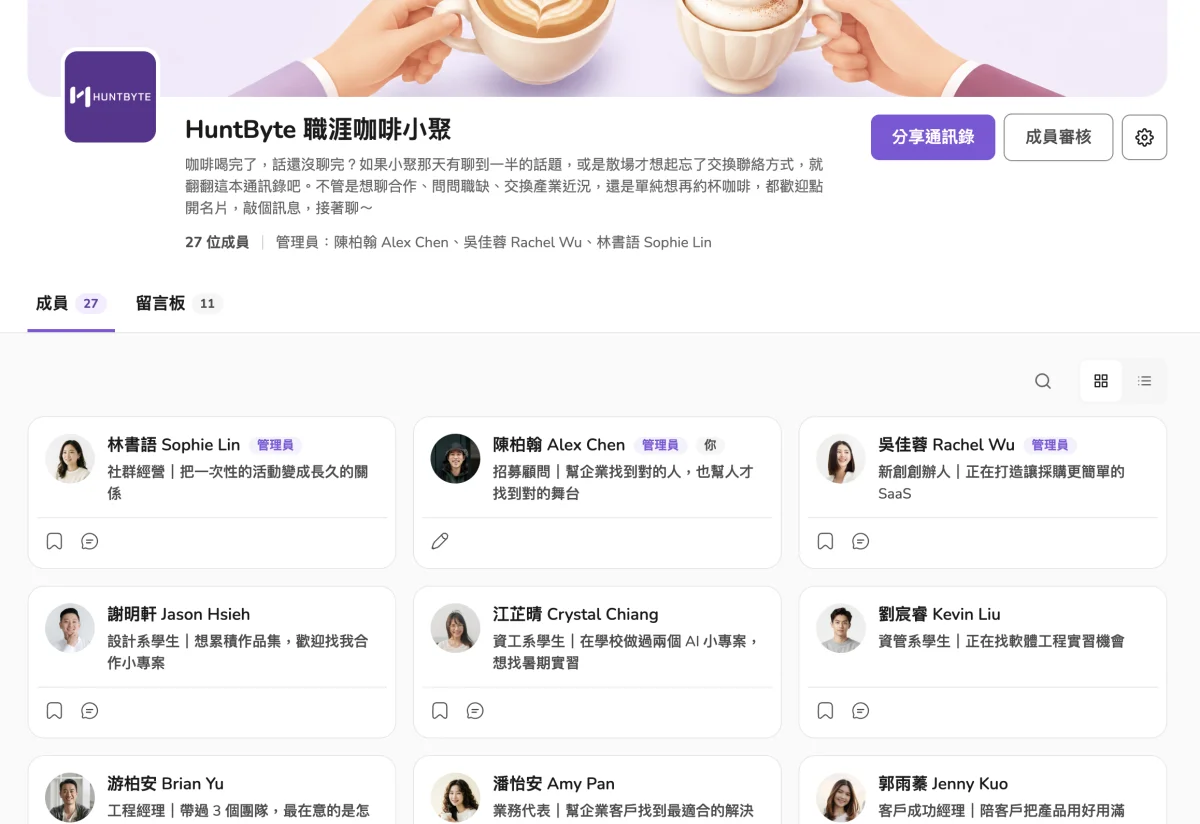
Photo, company, title, and bio are all there — no forms to fill out every time, and one tap opens the full card.
Search by name, tagline, bio, or skill, and matching people show up right away — no more digging through old messages.
When a member changes jobs or titles, every directory they've joined syncs automatically and stays up to date.
Give it a name, add an icon and cover. What you see while creating it is exactly what members see.
Copy the link or download the QR code in one click, and drop it in a community post, a course group chat, a slide deck, or at the event itself.
No form to refill — scan and join; you can also turn on "approval required."
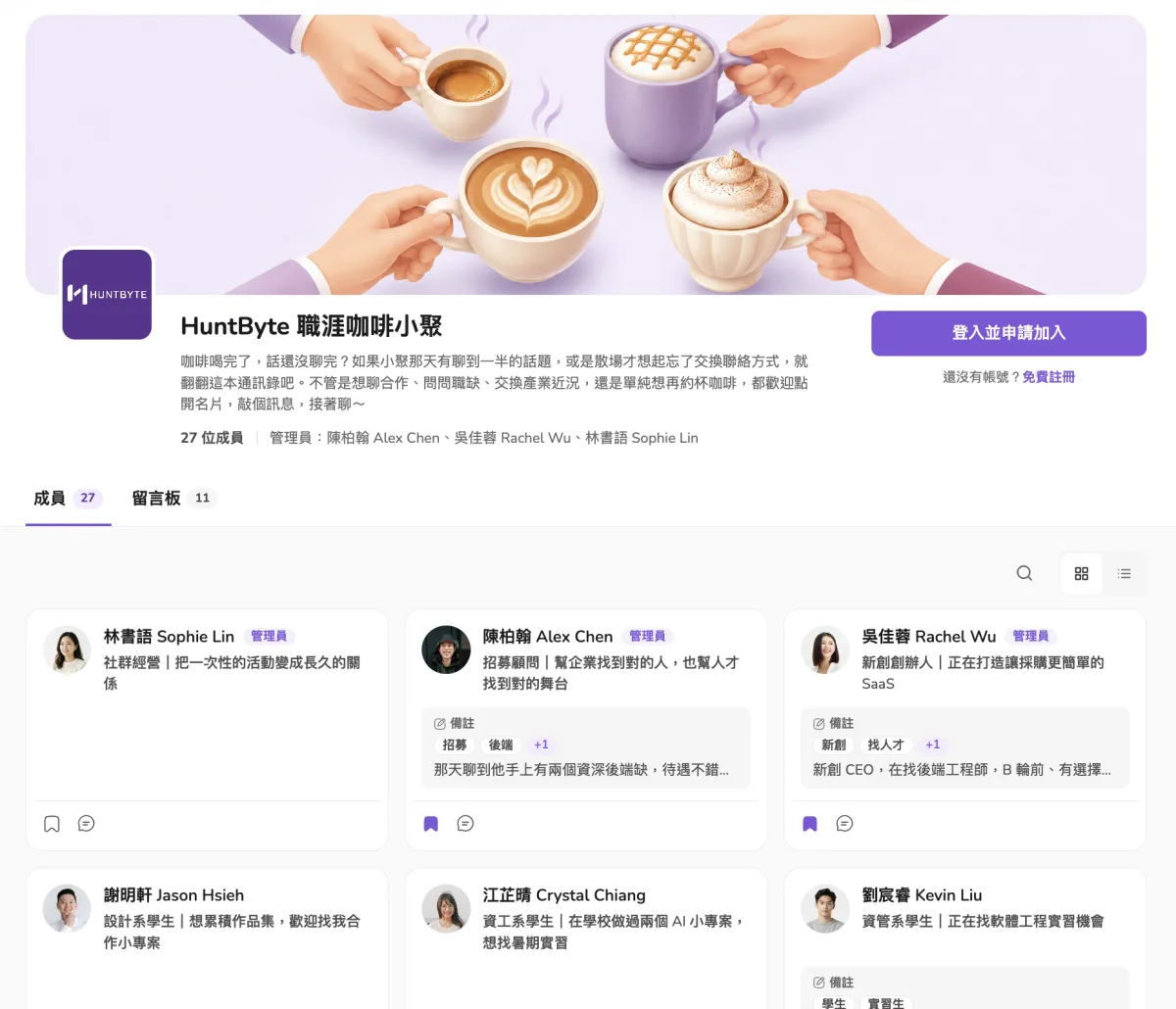
The tagline and bio on each member's card are searchable. Type "backend," "SaaS," or "recruiting," and everyone who mentions it shows up — no more digging through hundreds of chat messages.

Go and Kubernetes enthusiast, owns backend and payments

MIS student looking for a backend internship

Recruiter specializing in backend, data, and AI roles
Save people you want to follow up with. Write down where you met, what you talked about, and what to ask them next, then sort with tags like "Let's collab" or "Can refer a job." Notes stay invisible even to admins.
Slides, surveys, or the next event's sign-up — admins can pin them as announcements; members share takeaways, hiring posts, or plan the next meetup on the board.
Speaker slide PDFs and the group photo are up — download them here.

Posted photos of today's breakout whiteboards — grab them if you need them.

Looking for a backend co-founder — year two of our B2B SaaS, DM me.


Join your alumni group, book club, and industry community with the same digital card, with no forms to fill out again. Communities with new announcements or shares move to the top of "My Directories," so you don't have to open each one to check.
Explore the feature previews to see how to find people by skill, keep private notes, and stay connected through announcements and the message board.
Explore features
Turn on join approval — admins approve before anyone joins, and can remove the wrong fit anytime.
Anyone who hasn't joined can't see member cards, the message board, or announcements.
Don't want to stay? Members can leave on their own — the list stays everyone's own choice.
Find a speaker or someone you talked to afterward — just search and there they are.

Find classmates years later, and see who's changed jobs at a glance.

Classmates get to know each other, and keep sharing resources and opportunities on the board after the course ends.

Members come from every industry, building on each other's connections to create more business partnerships.
No. Creating and joining a directory are both free, and there's no app to download.
Yes, members join with their own digital card. If you don't have one yet, just fill in a name, title, and one-line bio to create it. Update your card later, and every directory you've joined updates too.
No. Your notes and tags are visible only to you — not the card owner, not even directory admins.
Yes. Admins can turn on "approval required" anytime; once it's on, anyone requesting to join via link or QR code needs admin approval first.
Still have questions?Chat with us on LINE
No app to download. Create a directory now, and share the link or QR code to get started.